
// JOIN THE GRID
HOW TO JOIN THE IRACING LEAGUE
Joining the Empulse Racing league is simple. Follow the steps below to send your application and get ready to race. We can't wait to see you on track!
- Step 1
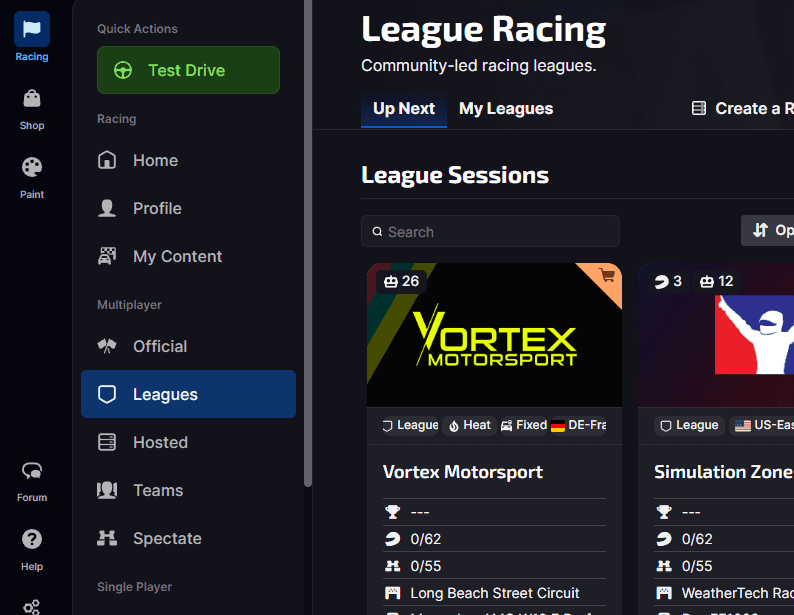
Navigate to Leagues
Once you're logged into the iRacing UI, look for the 'Leagues' tab in the main navigation menu on the left-hand side of the screen and click on it.
- Step 2
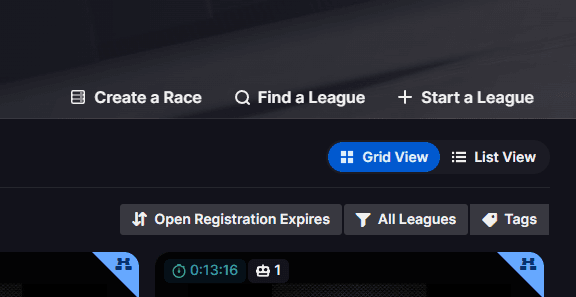
Find a League
You'll land on the 'My Leagues' page. In the top right corner, you will see a search bar labeled 'Find a League'. Click inside this search bar to begin.
- Step 3
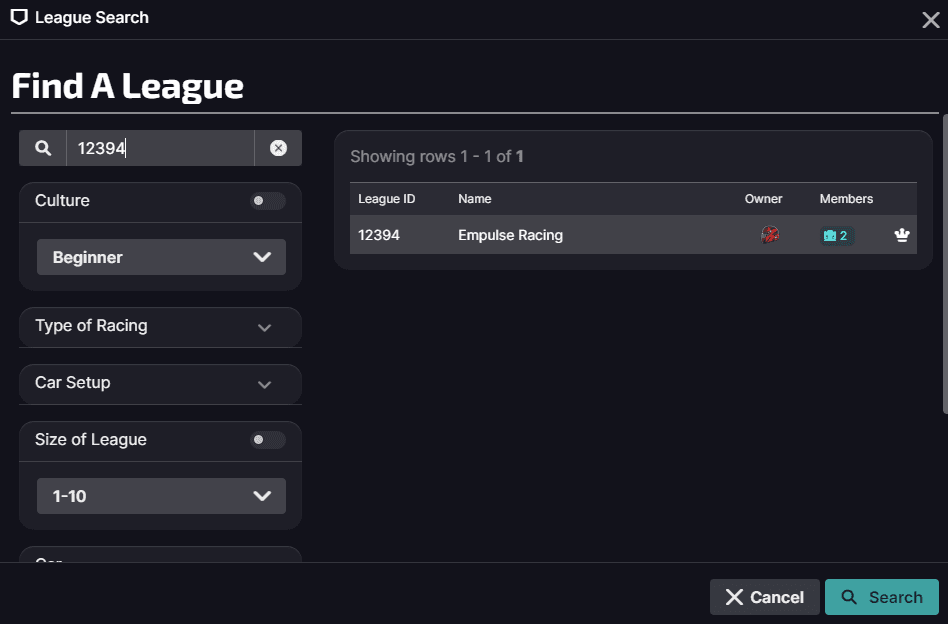
Search by League ID
The easiest way to find us directly is by using our unique League ID. Enter 12394 into the search bar. Our league, Empulse Racing, should appear instantly.
- Step 4
Apply to Join!
Click on our league in the search results to go to our main page. From there, click the green 'Apply to League' button. That's it! Your application is now sent.
One Last Thing...
Once you've applied, an admin will approve your request shortly. In the meantime, the most important step is to join our Discord server. It's where we handle all communication, announcements, and pre-race banter!
Join the Community